
In Part 1, our mini agent worked because we asked nicely:
"Reply with JSON only, no other text."
Most of the time the model did. But "most of the time" isn’t good enough for software that touches customer orders. Sometimes the model wraps the JSON in code fences. Sometimes it adds "Sure! Here you go:" first. Occasionally it returns {action: lookup_order} without quotes, which json_decode() rejects. We added a regex to cope with the first two problems, but there’s no regex for the third.
The underlying issue is that we invented our own format and hoped the model would follow it. Every major AI provider now offers a built-in feature that does this properly. It’s called tool calling (OpenAI and Google also call it function calling). In this part, we replace our JSON hack with tool calling in PHP, for both Gemini and OpenAI, and still without a framework.

Before you start
- What you’ll build: Nimbus’s order lookup using real tool calling, plus a small adapter that makes the same agent code work with Gemini and OpenAI.
- You need: the setup from Part 1 (PHP 8, MySQL 8 with the
orderstable, and a Gemini or OpenAI key).- Code for this part: GitHub →
part-02🔀 Gemini or OpenAI? The code for this series comes in two versions:
Gemini Setup(free tier, recommended for learning) andOpenAI Setup(paid). The agent logic is the same in both. Only the small layer that talks to the AI provider differs, because each provider formats tool calls slightly differently, so the code may vary a bit between the two. Model names and free-tier limits change often: check.env.examplefor the current defaults.
What tool calling is
A few terms first:
- Tool: an action your code can perform, described to the model. For Nimbus,
lookup_orderis a tool. In PHP it’s just a function. - Tool definition: the description you send to the model: a name, a plain-English description of when to use it, and its parameters (inputs).
- JSON Schema: a standard way to describe the shape of JSON data, e.g. "an object with a required integer called
order_id". Both providers use it for tool parameters. - Tool call: the model’s structured request to use a tool, with arguments, e.g.
lookup_orderwith{"order_id": 1042}. - Tool result: what your code sends back after running the tool.
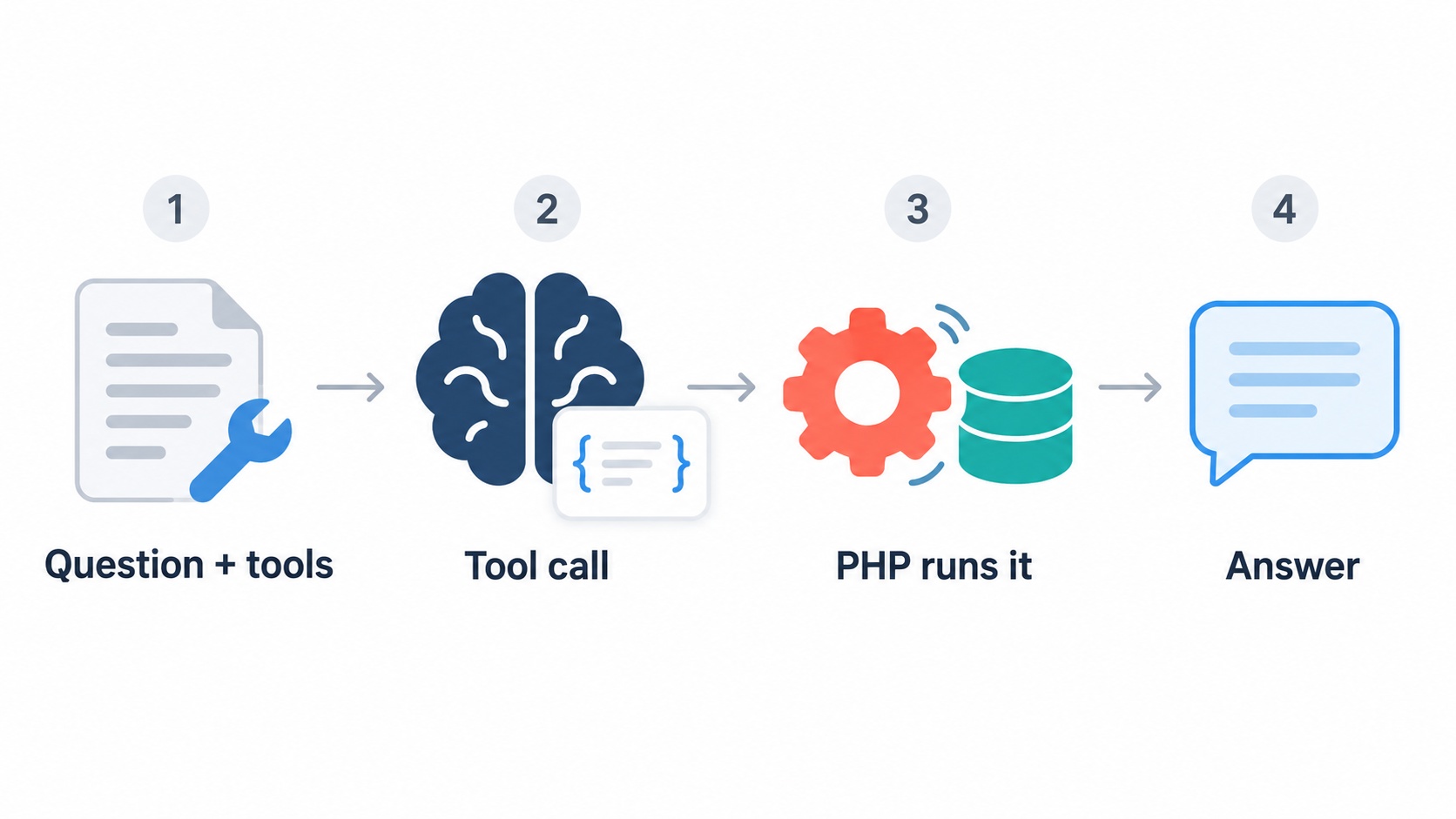
The flow is the same four steps as Part 1: decide, act, observe, answer. What changes is who defines the format:
- You send the question and the tool definitions together.
- The model either replies with text, or returns a tool call in a dedicated, structured field. It isn’t mixed into the text, so there’s nothing to parse with regex.
- Your PHP runs the tool and sends back a tool result, linked to the call.
- The model writes the final answer using that result.
The model was trained to produce this format, and the provider checks it. Our system prompt no longer has to say anything about JSON. It can focus on behaviour.
⚠️ Gotcha: The model still never runs anything. "Tool calling" sounds as if the model calls your function. It doesn’t. It asks you to, and your PHP decides. Everything from Part 1 about safety still applies.
Build it
Part 2 is a new checkpoint folder, part-02. It carries over schema.sql, seed.sql, db.php, orders.php and show-order.php from Part 1 unchanged, so there’s no database work this time. If you skipped Part 1, run schema.sql and seed.sql from this folder first.
Step 1: Describe the tool once
We write each tool’s definition once, in a simple neutral format. The adapter in Step 3 translates it for each provider.
<?php
// tools.php — the tools Nimbus may use, and the PHP that runs them.
// Tool definitions are written ONCE here, in a neutral format.
// llm.php translates them into each provider's format.

function toolDefinitions(): array {
    return [
        [
            'name'        => 'lookup_order',
            'description' => 'Look up a Nimbus order by its order number. Returns the plan, '
                           . 'amount, status (paid, refunded or cancelled), purchase date '
                           . 'and customer name. Use it only when the customer has given '
                           . 'an order number.',
            'parameters'  => [
                'type'       => 'object',
                'properties' => [
                    'order_id' => [
                        'type'        => 'integer',
                        'description' => 'The order number, digits only, e.g. 1042',
                    ],
                ],
                'required'   => ['order_id'],
            ],
        ],
    ];
}

// Run a tool the model asked for. This is the ONLY place actions happen.
// Anything not listed here is refused, whatever the model asks for.
function runTool(string $name, array $args): array {
    switch ($name) {
        case 'lookup_order':
            // Never trust arguments blindly: keep digits only.
            $orderId = (int) preg_replace('/\D/', '', (string) ($args['order_id'] ?? ''));
            return findOrder($orderId) ?? ['error' => "order $orderId not found"];

        default:
            return ['error' => "unknown tool: $name"];
    }
}
Three things matter in the definition:
- The description is an instruction. The model decides when to call a tool almost entirely from this text. "Use it only when the customer has given an order number" prevents calls with made-up IDs.
'type' => 'integer'tells the model to send a number, not"#1042".requiredmakes sure the model doesn’t call the tool without the order number.
And runTool() is the most important function in the series. It’s the only place where actions happen. It has a case for each tool we allow, and a default that refuses everything else. Even though order_id is declared as an integer, we still clean it: a schema guides the model, but your code should never fully trust model output.
Step 2: How the two providers differ
This is where Gemini and OpenAI genuinely differ. Here is the same tool call, as each provider returns it.
🔀 Provider difference: the tool call
OpenAI puts tool calls in a
tool_callslist. Each has anid, and the arguments arrive as a JSON string you must decode:"tool_calls": [{ "id": "call_abc123", "type": "function", "function": { "name": "lookup_order", "arguments": "{\"order_id\":1042}" } }]Gemini returns the call as a part of the model’s message, and the arguments are already a JSON object. Gemini 3 models may also attach a
thoughtSignature:"parts": [{ "functionCall": { "name": "lookup_order", "args": { "order_id": 1042 } }, "thoughtSignature": "Cm4BjZ8..." }]
Sending the result back differs too. OpenAI expects a message with role tool and the matching tool_call_id. Gemini expects a functionResponse part, inside a turn with role user, and the result must be a JSON object.
There are two more differences that cause real bugs:
- The model’s tool request must go back into the history. Before sending results, you add the model’s own tool-call message to the conversation, so it can see what it asked for.
- Gemini’s thought signatures must be returned exactly as received. A thought signature is an encoded record of the model’s internal reasoning. Gemini 3 models expect it back with the tool result to continue the same line of thought, and requests can fail without it. The safe rule: never rebuild the model’s message, resend it as it came.
Step 3: The adapter, one per provider
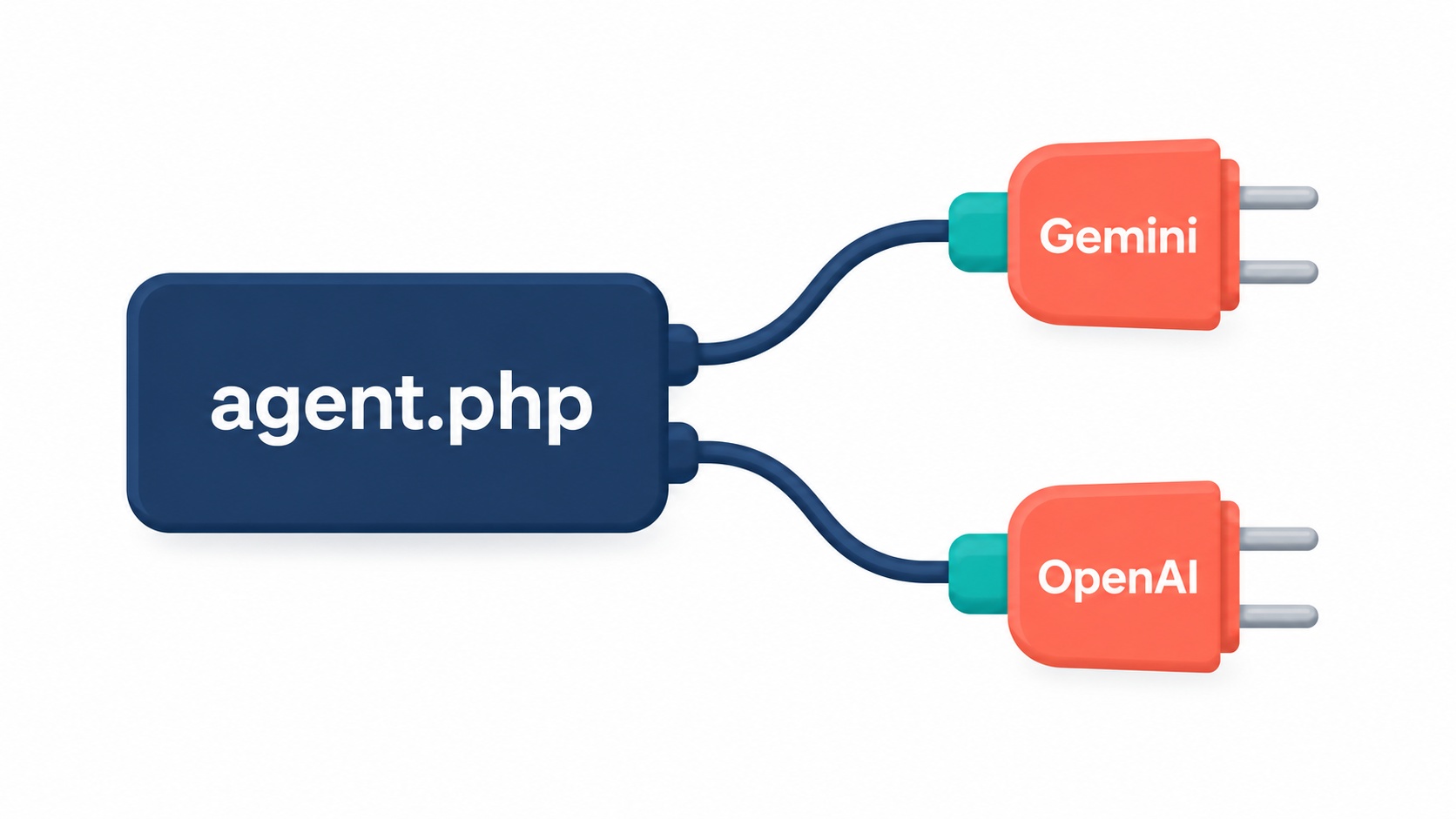
To keep the agent code identical, we use a neutral message format inside our app and let one file per provider, llm.php, translate. Both versions expose the same function:
chatWithTools(array $messages, array $tools = [], float $temperature = 0.0): array
// returns ['text' => ?string, 'tool_calls' => [...], 'message' => <for the history>]
Each tool call comes back in the same shape for both providers: ['id' => ..., 'name' => ..., 'arguments' => [...]].
Here’s the Gemini adapter (in Gemini Setup/part-02):
<?php
// llm.php — Gemini adapter: chat with tool calling.
// Same functions as the OpenAI version, so agent.php works with either.
require_once __DIR__ . '/../config.php';

// Our neutral messages → Gemini's request body.
function toProviderPayload(array $messages, array $tools, float $temperature): array {
    $system   = '';
    $contents = [];

    foreach ($messages as $m) {
        if ($m['role'] === 'system') {
            $system .= ($system === '' ? '' : "\n") . $m['content'];

        } elseif ($m['role'] === 'assistant' && isset($m['provider_raw'])) {
            // The model's turn exactly as received. It may carry "thought
            // signatures" that Gemini 3 models require back, so never rebuild it.
            $raw = $m['provider_raw'];
            foreach ($raw['parts'] as &$p) {
                // PHP turns an empty JSON object {} into [] — put it back.
                if (isset($p['functionCall']) && empty($p['functionCall']['args'])) {
                    $p['functionCall']['args'] = new stdClass();
                }
            }
            unset($p);
            $contents[] = $raw;

        } elseif ($m['role'] === 'tool') {
            // Gemini wants the result as an object, sent back in a "user" turn.
            $result = json_decode($m['content'], true);
            $part   = ['functionResponse' => [
                'name'     => $m['name'],
                'response' => is_array($result) && $result ? $result : ['result' => $m['content']],
            ]];
            if (!str_starts_with($m['tool_call_id'], 'gemini_')) {
                $part['functionResponse']['id'] = $m['tool_call_id'];
            }
            // Several results in a row belong in ONE turn.
            $last = count($contents) - 1;
            if ($last >= 0 && $contents[$last]['role'] === 'user'
                && isset($contents[$last]['parts'][0]['functionResponse'])) {
                $contents[$last]['parts'][] = $part;
            } else {
                $contents[] = ['role' => 'user', 'parts' => [$part]];
            }

        } else {
            $role       = $m['role'] === 'assistant' ? 'model' : 'user';
            $contents[] = ['role' => $role, 'parts' => [['text' => (string) $m['content']]]];
        }
    }

    $model            = env('GEMINI_CHAT_MODEL', 'gemini-3.8-flash');
    $generationConfig = ['temperature' => $temperature];
    if (preg_match('/2\.5|3\./', $model)) {
        $generationConfig['thinkingConfig'] = ['thinkingBudget' => 0];
    }

    $payload = ['contents' => $contents, 'generationConfig' => $generationConfig];
    if ($system !== '') {
        $payload['system_instruction'] = ['parts' => [['text' => $system]]];
    }
    if ($tools) {
        $payload['tools'] = [[
            'functionDeclarations' => array_map(fn($t) => [
                'name'        => $t['name'],
                'description' => $t['description'],
                'parameters'  => $t['parameters'],
            ], $tools),
        ]];
    }
    return $payload;
}

// Gemini's response → our neutral reply: text, tool_calls, and the message for history.
function fromProviderResponse(array $data): array {
    $content = $data['candidates'][0]['content'] ?? null;
    if ($content === null) {
        throw new RuntimeException('Gemini returned no content. Response: ' . json_encode($data));
    }

    $text  = '';
    $calls = [];
    foreach ($content['parts'] ?? [] as $i => $part) {
        if (isset($part['functionCall'])) {
            $calls[] = [
                // Gemini may not give an id, so we make one to match result to call.
                'id'        => $part['functionCall']['id'] ?? "gemini_$i",
                'name'      => $part['functionCall']['name'],
                // Gemini sends arguments as a JSON *object* already.
                'arguments' => $part['functionCall']['args'] ?? [],
            ];
        } elseif (isset($part['text']) && empty($part['thought'])) {
            $text .= $part['text'];
        }
    }

    return [
        'text'       => $text === '' ? null : trim($text),
        'tool_calls' => $calls,
        'message'    => ['role' => 'assistant', 'content' => $text, 'provider_raw' => $content],
    ];
}

function chatWithTools(array $messages, array $tools = [], float $temperature = 0.0): array {
    $payload = toProviderPayload($messages, $tools, $temperature);
    llmDebug('REQUEST', $payload);

    $model = env('GEMINI_CHAT_MODEL', 'gemini-3.8-flash');
    $ch    = curl_init('https://generativelanguage.googleapis.com/v1beta/models/'
                     . $model . ':generateContent');
    curl_setopt_array($ch, [
        CURLOPT_RETURNTRANSFER => true,
        CURLOPT_HTTPHEADER => [
            'Content-Type: application/json',
            'x-goog-api-key: ' . env('GEMINI_API_KEY'),
        ],
        CURLOPT_POSTFIELDS => json_encode($payload),
    ]);
    $response = curl_exec($ch);
    if ($response === false) {
        throw new RuntimeException('Chat request failed: ' . curl_error($ch));
    }
    curl_close($ch);

    $data = json_decode($response, true) ?? [];
    llmDebug('RESPONSE', $data);
    return fromProviderResponse($data);
}

// With --debug, print the raw JSON so you can see exactly what goes over the wire.
function llmDebug(string $label, array $data): void {
    if (defined('LLM_DEBUG') && LLM_DEBUG) {
        fwrite(STDERR, "\n----- $label -----\n"
            . json_encode($data, JSON_PRETTY_PRINT | JSON_UNESCAPED_SLASHES) . "\n");
    }
}
And the OpenAI adapter (in OpenAI Setup/part-02):
<?php
// llm.php — OpenAI adapter: chat with tool calling.
// Same functions as the Gemini version, so agent.php works with either.
require_once __DIR__ . '/../config.php';

// Our neutral messages → OpenAI's request body.
function toProviderPayload(array $messages, array $tools, float $temperature): array {
    $out = [];
    foreach ($messages as $m) {
        if ($m['role'] === 'assistant' && isset($m['provider_raw'])) {
            $out[] = $m['provider_raw'];                 // the model's tool request, as received
        } elseif ($m['role'] === 'tool') {
            $out[] = ['role' => 'tool', 'tool_call_id' => $m['tool_call_id'], 'content' => $m['content']];
        } else {
            $out[] = ['role' => $m['role'], 'content' => $m['content']];
        }
    }

    $payload = [
        'model'       => env('OPENAI_CHAT_MODEL', 'gpt-4o-mini'),
        'messages'    => $out,
        'temperature' => $temperature,
    ];
    if ($tools) {
        $payload['tools'] = array_map(fn($t) => [
            'type'     => 'function',
            'function' => [
                'name'        => $t['name'],
                'description' => $t['description'],
                'parameters'  => $t['parameters'],
            ],
        ], $tools);
    }
    return $payload;
}

// OpenAI's response → our neutral reply: text, tool_calls, and the message for history.
function fromProviderResponse(array $data): array {
    $msg = $data['choices'][0]['message'] ?? null;
    if ($msg === null) {
        throw new RuntimeException('OpenAI returned no message. Response: ' . json_encode($data));
    }

    $calls = [];
    foreach ($msg['tool_calls'] ?? [] as $tc) {
        $calls[] = [
            'id'        => $tc['id'],
            'name'      => $tc['function']['name'],
            // OpenAI sends arguments as a JSON *string*, so decode it.
            'arguments' => json_decode($tc['function']['arguments'] ?? '{}', true) ?: [],
        ];
    }

    $raw = ['role' => 'assistant', 'content' => $msg['content'] ?? null];
    if (!empty($msg['tool_calls'])) {
        $raw['tool_calls'] = $msg['tool_calls'];
    }

    return [
        'text'       => isset($msg['content']) ? trim($msg['content']) : null,
        'tool_calls' => $calls,
        'message'    => ['role' => 'assistant', 'content' => $msg['content'] ?? null, 'provider_raw' => $raw],
    ];
}

function chatWithTools(array $messages, array $tools = [], float $temperature = 0.0): array {
    $payload = toProviderPayload($messages, $tools, $temperature);
    llmDebug('REQUEST', $payload);

    $ch = curl_init('https://api.openai.com/v1/chat/completions');
    curl_setopt_array($ch, [
        CURLOPT_RETURNTRANSFER => true,
        CURLOPT_HTTPHEADER => [
            'Content-Type: application/json',
            'Authorization: Bearer ' . env('OPENAI_API_KEY'),
        ],
        CURLOPT_POSTFIELDS => json_encode($payload),
    ]);
    $response = curl_exec($ch);
    if ($response === false) {
        throw new RuntimeException('Chat request failed: ' . curl_error($ch));
    }
    curl_close($ch);

    $data = json_decode($response, true) ?? [];
    llmDebug('RESPONSE', $data);
    return fromProviderResponse($data);
}

// With --debug, print the raw JSON so you can see exactly what goes over the wire.
function llmDebug(string $label, array $data): void {
    if (defined('LLM_DEBUG') && LLM_DEBUG) {
        fwrite(STDERR, "\n----- $label -----\n"
            . json_encode($data, JSON_PRETTY_PRINT | JSON_UNESCAPED_SLASHES) . "\n");
    }
}
Look at the provider_raw key in both. It stores the provider’s original message so it can be sent back unchanged: for Gemini, that’s how thought signatures survive. Two smaller details: Gemini doesn’t always return a call id, so we create one (gemini_0) to match each result to its call; and PHP turns an empty JSON object {} into [], which Gemini rejects, so we convert it back.
💡 Tip: Run with
--debugand the adapter prints the exact JSON sent to and received from the API. When something breaks, this is where to look first.
Step 4: The agent, one round of tool calling
With the adapter in place, the agent code is short and the same for both providers:
<?php
// agent.php — one round of tool calling: ask → (run tools) → answer.
// The full multi-step loop arrives in Part 4.

const SYSTEM_PROMPT = <<<TXT
You are Nimbus HelpDesk AI, the support assistant for Nimbus, a project-management SaaS.
Use the available tools whenever you need real order data. Never guess order details.
If the customer hasn't given an order number, ask for it. Never invent one.
You cannot issue refunds or change orders yet. If asked, say so honestly
and suggest contacting the support team.
Keep answers brief and friendly.
TXT;

// Print what the agent is doing (goes to STDERR, separate from the answer).
function logStep(string $message): void {
    fwrite(STDERR, "  · $message\n");
}

function runAgent(string $question): string {
    $tools    = toolDefinitions();
    $messages = [
        ['role' => 'system', 'content' => SYSTEM_PROMPT],
        ['role' => 'user',   'content' => $question],
    ];

    // 1. Ask the model. It either answers, or requests one or more tool calls.
    $reply = chatWithTools($messages, $tools);

    if (empty($reply['tool_calls'])) {
        logStep('No tool needed.');
        return $reply['text'] ?? '';
    }

    // 2. Keep the model's tool request in the history, then run each tool.
    $messages[] = $reply['message'];

    foreach ($reply['tool_calls'] as $call) {
        logStep("Model requested: {$call['name']}(" . json_encode($call['arguments']) . ')');
        $result = runTool($call['name'], $call['arguments']);
        logStep('PHP ran it: ' . json_encode($result));

        $messages[] = [
            'role'         => 'tool',
            'tool_call_id' => $call['id'],
            'name'         => $call['name'],
            'content'      => json_encode($result),
        ];
    }

    // 3. Send the results back. The model now writes the final answer.
    $final = chatWithTools($messages, $tools);

    if (!empty($final['tool_calls'])) {
        // It wants yet another tool. Handling that needs a loop (Part 4).
        logStep('Model asked for another tool — the loop comes in Part 4.');
        return "Sorry, that needs more steps than I can handle yet.";
    }
    return $final['text'] ?? '';
}
Compare SYSTEM_PROMPT with Part 1’s DECIDE_PROMPT. There’s no JSON format, no example shapes and no "reply with JSON only". The tool definitions carry all of that now.
Notice the foreach. A model can request more than one tool call in a single reply, for example looking up two orders at once. We run each call and send all the results back together.
What we don’t handle yet is the model asking for another tool after seeing the results. That needs a loop, which is Part 4. For now we stop and say so honestly.
Step 5: Run it from the command line
<?php
// ask-agent.php — talk to the agent from the command line.
// Usage: php ask-agent.php "What's the status of order #1042?"
//        php ask-agent.php --debug "..."   (also prints the raw API JSON)
require_once __DIR__ . '/db.php';
require_once __DIR__ . '/llm.php';
require_once __DIR__ . '/orders.php';
require_once __DIR__ . '/tools.php';
require_once __DIR__ . '/agent.php';

$args = array_slice($argv, 1);
if (($args[0] ?? '') === '--debug') {
    define('LLM_DEBUG', true);
    array_shift($args);
}
$question = $args[0] ?? "What's the status of order #1042?";

echo runAgent($question), "\n";
Prompt spotlight: the tool description is a prompt
In Part 1, all the instructions lived in the system prompt. With tool calling, they’re split:
- The system prompt describes behaviour: who Nimbus is, never guess order details, ask for a missing order number, be honest that refunds aren’t possible yet.
- The tool description describes when to use the tool and what it returns.
Models read tool descriptions very closely. Here’s what each part of ours does:
| Part of the description | Why it’s there |
|---|---|
| "Look up a Nimbus order by its order number." | Says what the tool does in one sentence |
| "Returns the plan, amount, status…" | Tells the model what it will learn, so it knows whether the tool can answer the question |
| "Use it only when the customer has given an order number." | Prevents calls with invented IDs |
order_id: "digits only, e.g. 1042" |
Shows the exact format we expect |
A vague description ("Gets order info") is the most common reason a model calls the wrong tool, or doesn’t call one when it should.
Try it
php ask-agent.php "What's the status of order #1042?"
  · Model requested: lookup_order({"order_id":1042})
  · PHP ran it: {"id":1042,"plan":"Pro (annual)","amount":"240.00","currency":"USD","status":"paid","purchased_at":"2026-10-18 10:12:44","customer":"Priya Shah"}
Hi Priya! Order #1042 for the Pro (annual) plan ($240.00) is paid and active.
Two orders in one question. The model requests two tool calls in one reply:
php ask-agent.php "Can you check orders 1042 and 1043?"
  · Model requested: lookup_order({"order_id":1042})
  · PHP ran it: {"id":1042,...,"status":"paid","customer":"Priya Shah"}
  · Model requested: lookup_order({"order_id":1043})
  · PHP ran it: {"id":1043,...,"status":"paid","customer":"Daniel Okoye"}
Both orders are paid: #1042 is a Pro (annual) plan for $240.00, and #1043 is a
Starter (monthly) plan for $12.00.
No order number, so no tool call:
php ask-agent.php "Where is my order?"
  · No tool needed.
I'd be happy to help! Could you share your order number?
And to see the raw JSON, which is how you’ll debug every future part:
php ask-agent.php --debug "What's the status of order #1042?"
💡 Tip (Gemini free tier): each question uses one or two requests. If you get a
429or "quota exceeded" error, switchGEMINI_CHAT_MODELin.envto a Flash-Lite model.
Part 1 vs Part 2
| Part 1: hand-made JSON | Part 2: tool calling | |
|---|---|---|
| Output format | Our own; the model may not follow it | Provider’s built-in format |
| Parsing | Regex + json_decode, can fail |
Structured field, no regex |
| Arguments | Whatever the model typed | Shaped by a JSON Schema |
| Several actions per reply | No | Yes |
| Adding a new tool | Edit the prompt + add if branches |
Add a definition + a case |
Recap
- Tool calling lets the model request your functions in a structured, provider-checked format. No more "reply with JSON only".
- A tool definition is a name, a description (which works as a prompt) and parameters described with JSON Schema.
- All actions go through one allowlisted function,
runTool(). The model asks; PHP decides. - Gemini and OpenAI format tool calls differently. A small adapter per provider keeps the agent code identical. Always resend the model’s message as received, which keeps Gemini’s thought signatures intact.
Next, Part 3: Giving Nimbus Its First Real Tools. We add tools that do real support work: checking refund eligibility against the 14-day policy, and opening a ticket in MySQL.
Frequently Asked Questions
Tool calling in PHP means sending an AI model a description of functions it may use, receiving a structured request to call one, running that function in PHP, and sending the result back. The model never executes code; your PHP does.
Yes. OpenAI and Google both use "function calling" and "tool calling" for the same feature. "Tool" is the broader term, since a tool can be any action, not only a function in your code.
No. Both use JSON Schema for parameters, but the request and response shapes differ: OpenAI returns tool_calls with arguments as a JSON string, while Gemini returns functionCall parts with arguments as an object. A small adapter in PHP handles the difference.
It’s an encoded record of the model’s internal reasoning that Gemini 3 models attach to their responses, including tool calls. You must send it back unchanged with the tool result. The simplest way is to resend the model’s whole message exactly as you received it.
Yes. Both providers can return more than one tool call in a single reply. Your code should run each one and send all the results back together, which our foreach does.
Full code for this part: GitHub → Gemini Setup/part-02 · OpenAI Setup/part-02
